
Blog / Informative

What does Mitsubishi Connect do?

My Mitsubishi Connect Logo

“Did I remember to lock my car?” “Where did I park again?” We’ve all been there. Whether you’re in a rush or in an unfamiliar place, it’s easy to get caught up. Luckily, if you own a Mitsubishi, there’s an app for that. Mitsubishi Connect puts control of your vehicle right in the palm of your hand, and with a compatible smartphone, you can check on your vehicle’s doors, location, and much more. 

Mitsubishi Connect Features

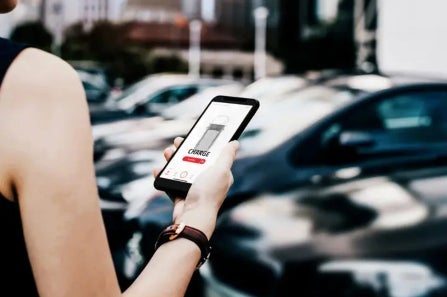
Take control of your vehicle from wherever you are with the My Mitsubishi Connect app. Compatible with both iPhone and Android, Mitsubishi Connect is a subscription-based service that gives remote access to your vehicle as well as a list of convenience and security features. 

Security Services

  • SOS Emergency Assistance - Press the SOS button in your Mitsubishi to connect to a call center that can quickly dispatch emergency services.
  • 24/7 Roadside Assistance - Get roadside assistance anytime, anywhere - even in an unfamiliar place. 
  • Automatic Collision Notification - Mitsubishi will be notified automatically in the event of a severe collision and act accordingly to get you help. 
  • Alarm and Stolen Vehicle Notifications - Get instant notification if your alarm is activated or your vehicle is stolen.
  • Mileage Tracker - Check mileage information from the last 7 days.
  • Hayward Mitsubishi Dealer Services Scheduler - Is it time for an oil change or tire rotation? Schedule through the app at Hayward Mitsubishi’s service department.

Remote Services

  • Smart Remote Start with Climate Control - Need to warm up or cool down your vehicle before you get in? Set the precise temperature from your phone and start your vehicle remotely.
  • Remote Door Lock/Unlock - Lock or unlock the doors from your smartphone.
  • Car Finder - Locate your vehicle within a one-mile radius using the app.
  • Remote Lights and Horn - Activate your lights or beep your horn remotely to quickly find where you parked in a crowded lot or street.
  • Vehicle Status - Access details about your vehicle’s odometer, tire pressure, fluids, and more.
  • Alerts - Teach your teen driver good habits by setting alerts for speed, curfew, and geofence.
Mitsubishi Connect is available on select models at Hayward Mitsubishi! Check out our inventory of new and used models and contact us to learn more about Mitsubishi Connect and other features.

Posted in:

Related Posts

Map of United States in Book

How to Find EV Charging Stations

Are you a new owner of an EV or plug-in hybrid? You’re probably overwhelmed with new information, like how your new vehicle works. It can be an adjustment to swap out fuel stations for charging stations; after all, there’s a fuel station on nearly every corner of a city. Public charging stations are being built every day, but they aren’t quite as visible as a large gas station. But that doesn’t have to mean they’re difficult to find! Finding your nearest EV charging station is fast and easy - and you can do it all right in your EV. more Steps for Finding a Public Charging Station Brands like Mitsubishi want to make it simple for you to charge your EV or plug-in hybrid EV. Before visiting a charging station, there are some things about your vehicle you should know. Most EVs and plug-in hybrid EVs use a universal charger, but certain automakers use their own specific charger cable. There are also different charging levels, and depending on which trim of Outlander Plug-In Hybrid you drive, you might need either a Level 2 or DC Fast Charger. Each level has a different charge time, so you’ll need to plan your trip according to how long it takes your vehicle to charge. Once you know more about your vehicle, it’s time to start searching! If you’re driving the Mitsubishi Outlander Plug-In Hybrid, use the touchscreen display to find a charging station near you. First, go to the home menu. Then, tap on Info and locate EV. From there, you can find information about your vehicle, including charging stations. Tap the Charging Stations icon, which will bring you to the navigation screen with a list of all the nearest charging stations. Tap on the one you want, and you’re all set! Your built-in navigation can take you to your chosen station. Some home charging brands will also give you access to their network of public charging stations, offering discounts and member-only access for shorter waits. Shop New and Used EVs and Hybrids If you’re ready to swap out your gasoline or diesel engine for a hybrid or electric model, Hayward Mitsubishi can help! From traditional hybrid to plug-in and fully electric varieties, we have just what you’re looking for in a vehicle. Browse our inventory online before paying us a visit in Hayward, CA.

Profile of White 2024 Mitsubishi Eclipse Cross Parked in Front of City at Night

2024 Mitsubishi Eclipse Cross Specs and Features

Get ready to take on anything that comes your way with the 2024 Mitsubishi Eclipse Cross! The sleek and sporty crossover has convenient features and adaptive performance to meet any driver’s versatile lifestyle. With seating for five and a highly functional cargo area, the Eclipse Cross can handle your daily drives, country escapes, and state-hopping trips with ease. With the upcoming arrival of the newest model, we’re giving you a peek into the specs and features of the 2024 Eclipse Cross before it’s available at Hayward Mitsubishi. more 2024 Eclipse Cross Performance Specifications Whether you prefer city driving, off-roading, or both, the Eclipse Cross has what it takes to tackle different terrain and conditions in a snap. The finely-tuned torque vectoring technology of Super All-Wheel Control means that you can take on snow, gravel, corners, and just about anything else. It’s powered by a 1.4L turbo engine with a continuously variable transmission that combines power and efficiency (26 combined MPG) into one package. Need to tow? The Eclipse Cross is capable of towing up to 1,500lbs. That means you can bring along your jet ski, pop-up camper, and more on your adventure. 2024 Eclipse Cross Convenience Features Four trims give plenty of options for comfort and convenience: ES, LE, SE, and SEL. Standard features include Automatic Climate Control, a Rearview Camera, Remote Keyless Entry, and a 7-inch audio display. Even more features like Adaptive Cruise Control and a Push Button Start are available at the higher trims. There’s even an available power panoramic sunroof, paddle shifters, and Multi-View Camera depending on which package you choose. No matter what, there’s lots of room for all with 23.4 cubic feet of trunk space that can be expanded up to 50.1 cubic feet with the rear seats folded down. We can’t forget the advanced safety and security features, like Active Stability Control, available Blind Spot Warning, and the Anti-Theft Engine Immobilizer, among many more. 2024 Eclipse Cross Available Soon! Watch out for the 2024 Mitsubishi Eclipse Cross, coming soon to Hayward Mitsubishi! In the meantime, browse our currently-available vehicles or contact us to reserve your new Eclipse Cross today.

CarPlay Display on Mitsubishi Infotainment Screen

How does Apple CarPlay work?

For most people, a smartphone is as much a part of their life as their car. Although they have different functions, they’re equally essential in getting you throughout your day. So why shouldn’t they work together? With Apple CarPlay, they can. If you have an iPhone, you can easily connect to your vehicle. Not sure how Apple CarPlay works? Here are the basics to using your iPhone in your Mitsubishi. more What is Apple CarPlay? Most vehicles like the Mitsubishi Outlander or Eclipse Cross have a built-in touchscreen with functions like navigation, music, and more. Apple CarPlay takes it a step further by fully integrating your smartphone into the infotainment system, allowing you to access your favorite apps right from the home screen. Although some older vehicles might require you to connect with a compatible cable, most new models have built-in wireless Apple CarPlay for seamless connectivity. Intuitively sync your iPhone to CarPlay and you’re ready to go! What can Apple CarPlay do? While some functions may be limited for safety reasons, Apple CarPlay allows you to essentially use your vehicle as a hands-free smartphone. Use Siri to get directions, make a phone call, and read and reply to text messages. Access your favorite navigation apps by asking Siri to take you to the nearest Italian restaurant, movie theater, or public charging station to power up your Outlander Plug-In Hybrid. You can even share your estimated arrival time with one of your contacts. Continue your conversation by voice or text through your touchscreen after starting your vehicle. Ask Siri to read and reply to your messages, all without taking your eyes off the road. In between messages, you can also listen to your favorite music, podcasts, or news with voice controls. Apple CarPlay is compatible with the iPhone 5 and newer - just keep your phone's software up to date! Test Apple CarPlay at Hayward Mitsubishi See just how convenient CarPlay is by test driving the newest models available at Hayward Mitsubishi! Our team can give you a full tutorial on how to connect your iPhone to the infotainment system and show you all the cool features you can access. Contact us today to schedule your test drive or drop in at our Hayward, CA location.